

Cart
0
You may also like
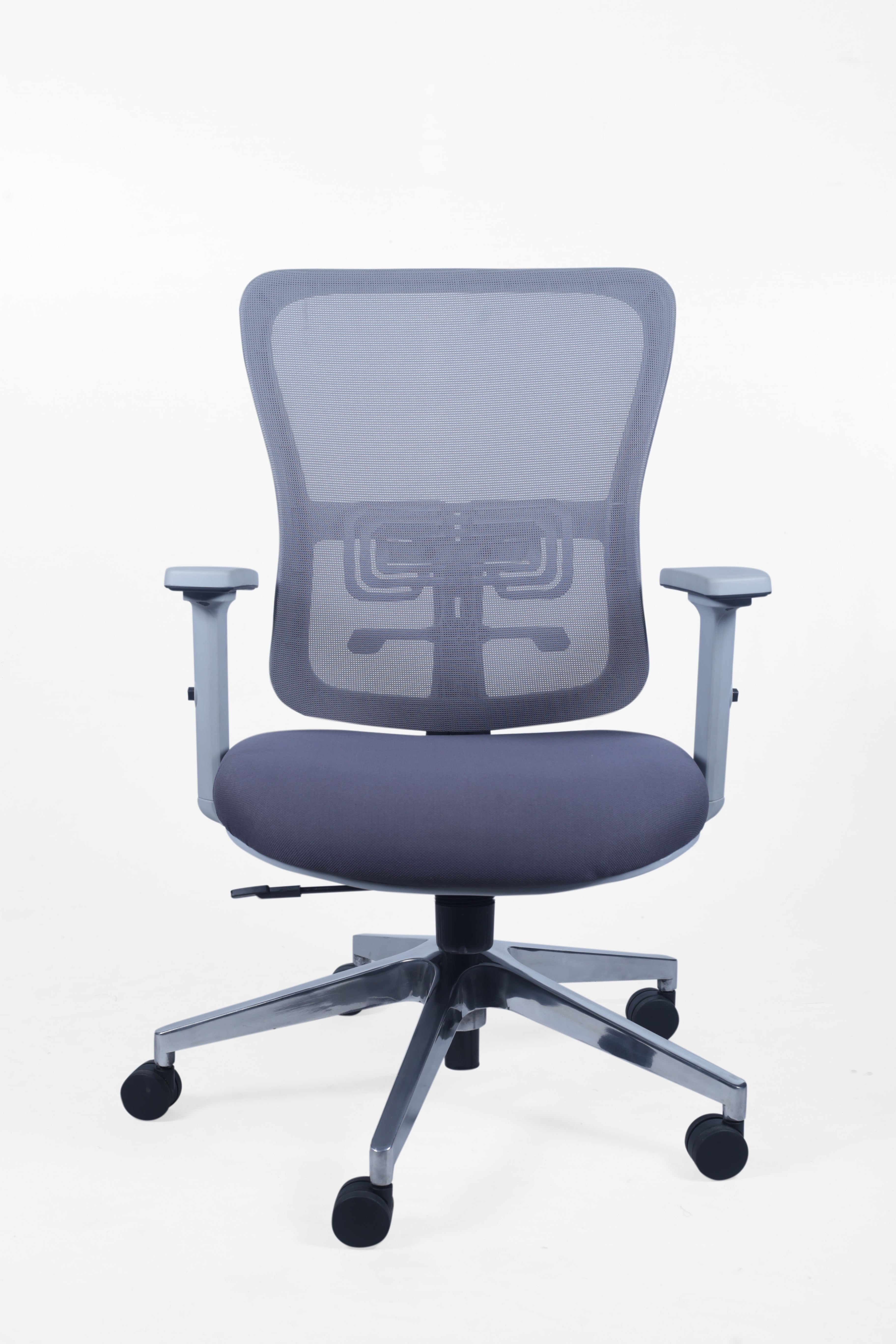

Back pain is no longer a medical issue, it’s a workplace problem.
If you sit at a desk for long hours and experience:
Lower back pain
Stiff shoulders
Neck strain
Fatigue before the day ends
Your office chair is likely the real culprit.
This guide explains how to choose the best office chair for back pain, based on ergonomics — not marketing gimmicks.
Most office chairs sold today focus on appearance and cost, not spinal health.
Common problems:
Flat backrests that ignore spinal curvature
Non-adjustable lumbar support
Poor seat cushioning
Fixed armrests forcing poor posture
Result:
Your spine compensates → muscles overwork → pain builds up.
Different chair flaws cause different pain points:
Lower back pain → No lumbar support
Upper back pain → Low backrest
Neck pain → No head/neck support
Hip pain → Hard or narrow seat
A proper ergonomic chair addresses all of these together.
Lumbar Support: The Most Important Feature
Your lower back has a natural inward curve.
The chair must:
Support the lumbar curve
Be adjustable (height & depth)
Stay firm, not soft
Proper lumbar support reduces spinal pressure and prevents slouching.
If a chair doesn’t support your lower back, it is NOT suitable for back pain.
High-Back Design for Full Spine Support
Back pain is rarely limited to one spot.
A high-back ergonomic chair supports:
Lower back
Mid-back
Shoulders
Neck (with headrest)
This keeps your spine aligned throughout the day, especially during long working hours.
Seat Cushion That Protects Your Hips & Spine
Thin or soft foam causes:
Hip compression
Pelvic tilt
Increased spinal stress
Choose:
High-density molded foam
Wide seat base
Even weight distribution
This reduces pressure on your hips and lower spine.
Adjustable Armrests to Reduce Shoulder Pain
Fixed armrests force your shoulders upward or downward.
A good chair for back pain should have:
Height-adjustable armrests
Proper elbow alignment
This relaxes shoulders and reduces upper-back strain.
Recline & Tilt Mechanism for Spine Relief
Your spine isn’t meant to stay upright all day.
Reclining slightly:
Reduces spinal load
Improves blood circulation
Relaxes back muscles
Look for a chair with:
Controlled recline
Tilt lock
Tension adjustment
|
Feature |
Normal Office Chair |
Ergonomic Chair |
|
Lumbar support |
❌ Fixed / None |
✅ Adjustable |
|
Backrest height |
❌ Medium / Low |
✅ High-back |
|
Sitting comfort |
❌ Short-term |
✅ Long-term |
|
Back pain relief |
❌ No |
✅ Yes |
|
Spine safety |
❌ Risky |
✅ Recommended |
This chair is essential for:
IT professionals
Corporate employees
Managers & executives
Work-from-office staff
Anyone sitting 6+ hours daily
If back pain affects your work — your chair needs an upgrade.
Xylus ergonomic office chairs are designed specifically for long sitting comfort and spinal support.
We offer:
Advanced lumbar support
High-back ergonomic structure
Premium seat cushioning
Adjustable armrests & recline
Corporate-grade durability
Each design focuses on posture correction, not temporary comfort.
Explore Xylus Ergonomic Chairs Designed for Back Pain Relief
Final Verdict: Don’t Treat Back Pain, Prevent It
Painkillers, posture reminders, and short breaks help — but they don’t solve the root cause.
A well-designed ergonomic office chair:
Supports your spine
Reduces daily pain
Improves productivity
Protects long-term health
Your work demands long hours.
Make sure your chair works just as hard for you.